Graphing Calculator
Graph mathematical functions in your browser — fast, accessible, and free. No sign-up, no download.
Expressions
Variables
No variables yet. Add one, then use it in any expression — e.g. y = a·sin(b·x).
Analysis
Cartesian 40: y = x
Table of values
Roots
Intersections
Add a second Cartesian expression to find intersections.
Derivative
Numerical (central difference) — not a symbolic derivative.
Definite integral
Limit
Local extrema
Tangent & normal
Annotations
No annotations yet. Tap a curve on the graph, then annotate the point — or rename and remove annotations here.
How to use the graphing calculator
Five steps, using the calculator above. Every screenshot below is a real render from this calculator — no mockups.
- 1
Type your first expression
Click in the Expressions panel and type
x^2. The parabola plots instantly as you type — there is nothing to install and no account to create.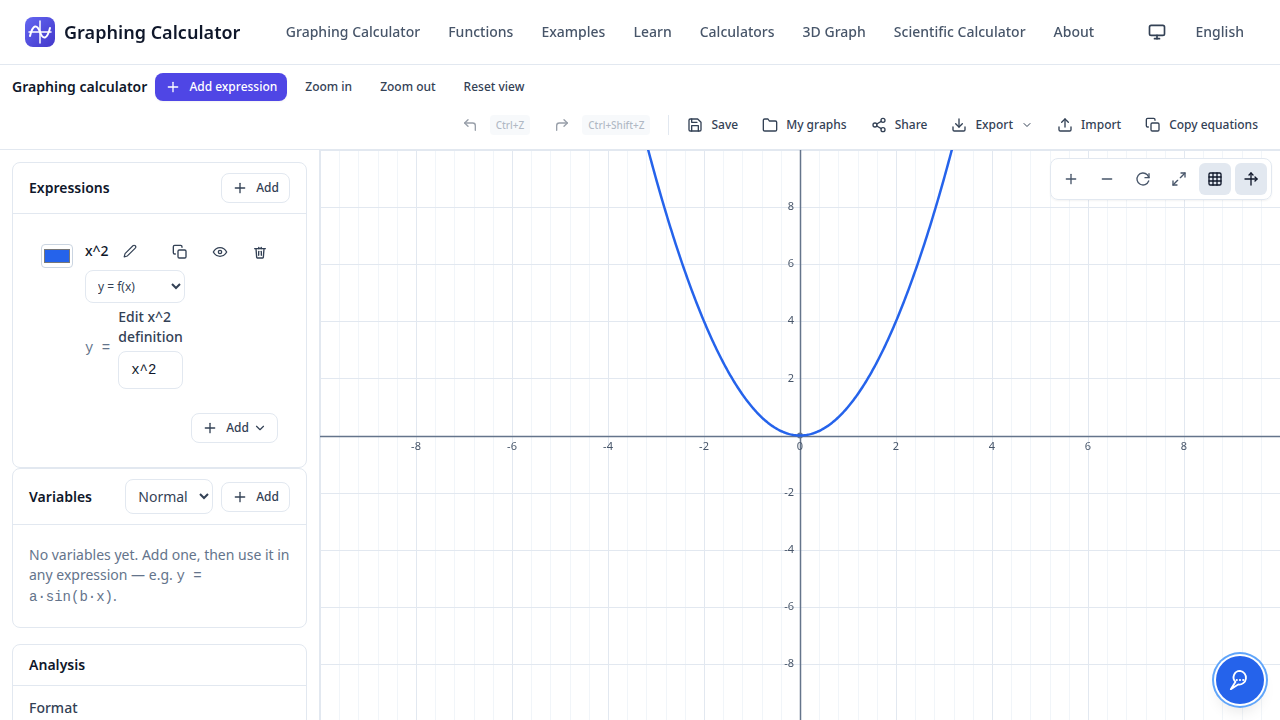
- 2
Compare two curves
Click Add and type
sin(x). Each expression gets its own color, and the eye icon toggles each curve on or off, so you can compare shapes side by side.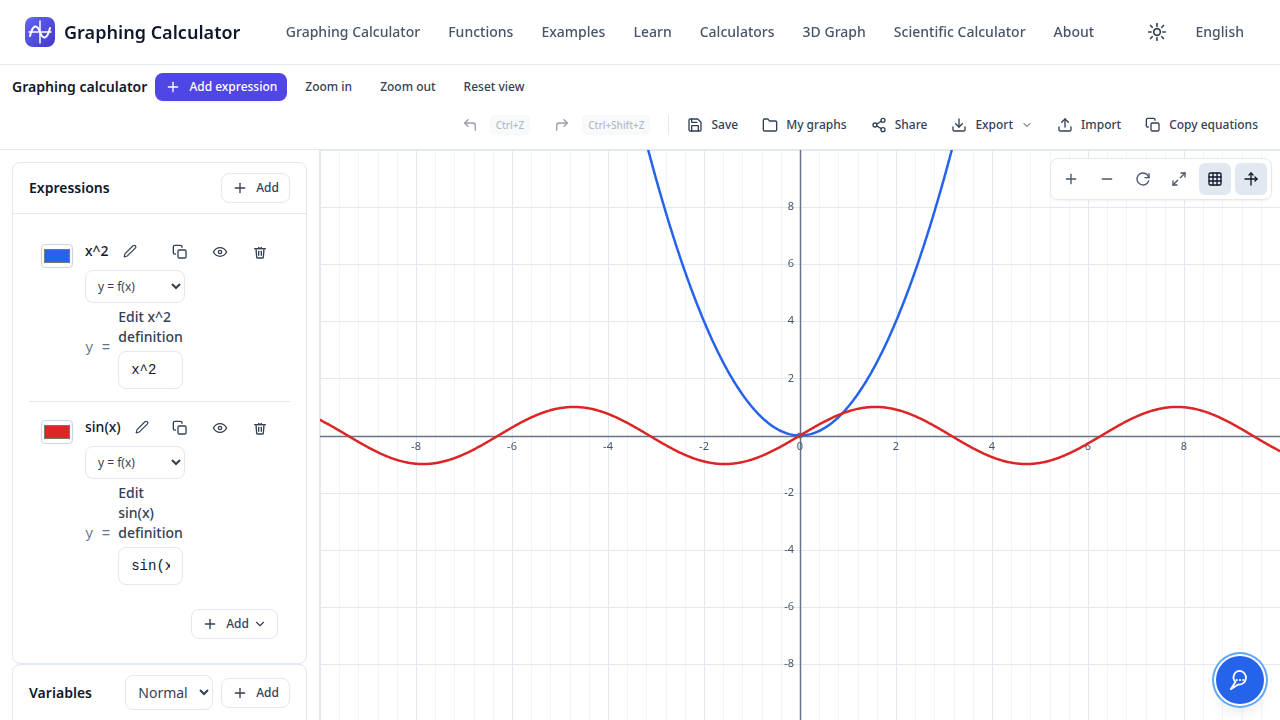
- 3
Zoom and pan around the graph
Scroll to zoom toward your cursor and drag to pan. Zooming into the vertex of
x^2shows the curve flattening out at (0, 0).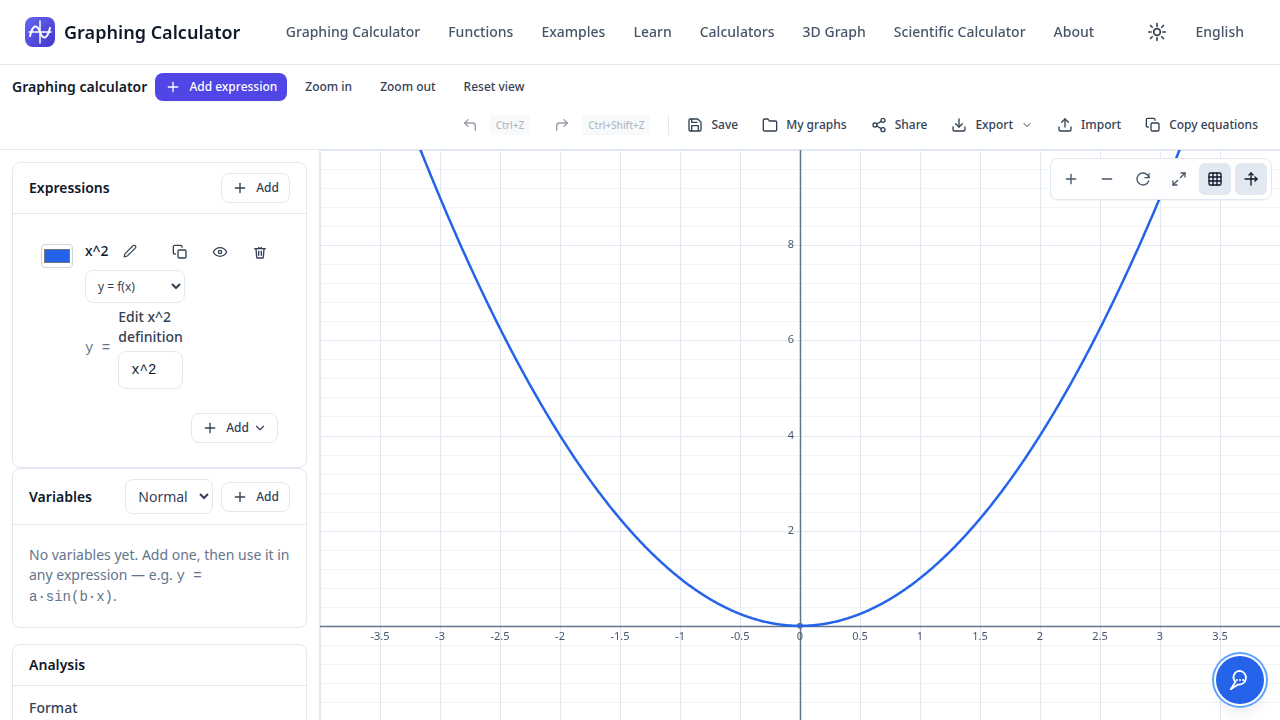
- 4
Find where a curve crosses the x-axis
For
x^2 - 4, the roots show up as markers right on the graph — at x = -2 and x = 2. The Analysis panel can find roots, derivatives, integrals, and more for any expression.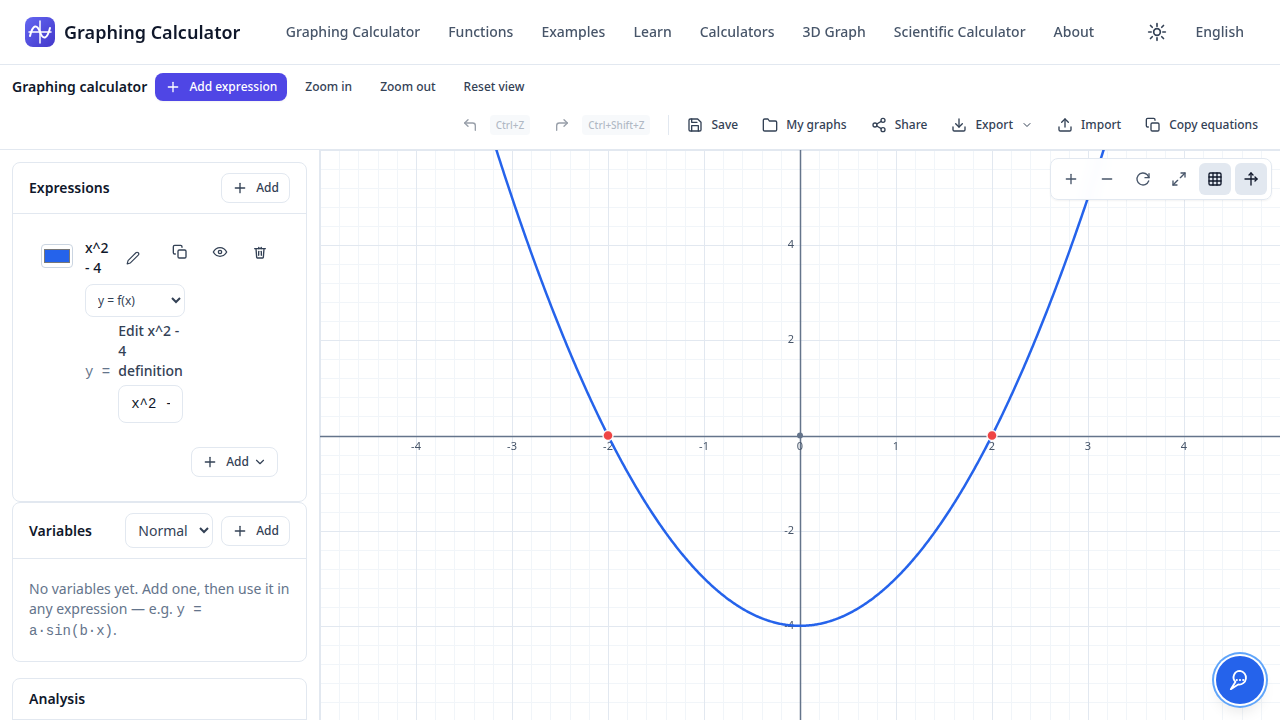
- 5
Draw a tangent line
Pick a point on a curve — here x = 1 on
x^2— and the tangent line appears at (1, 1), with its slope computed by the math engine.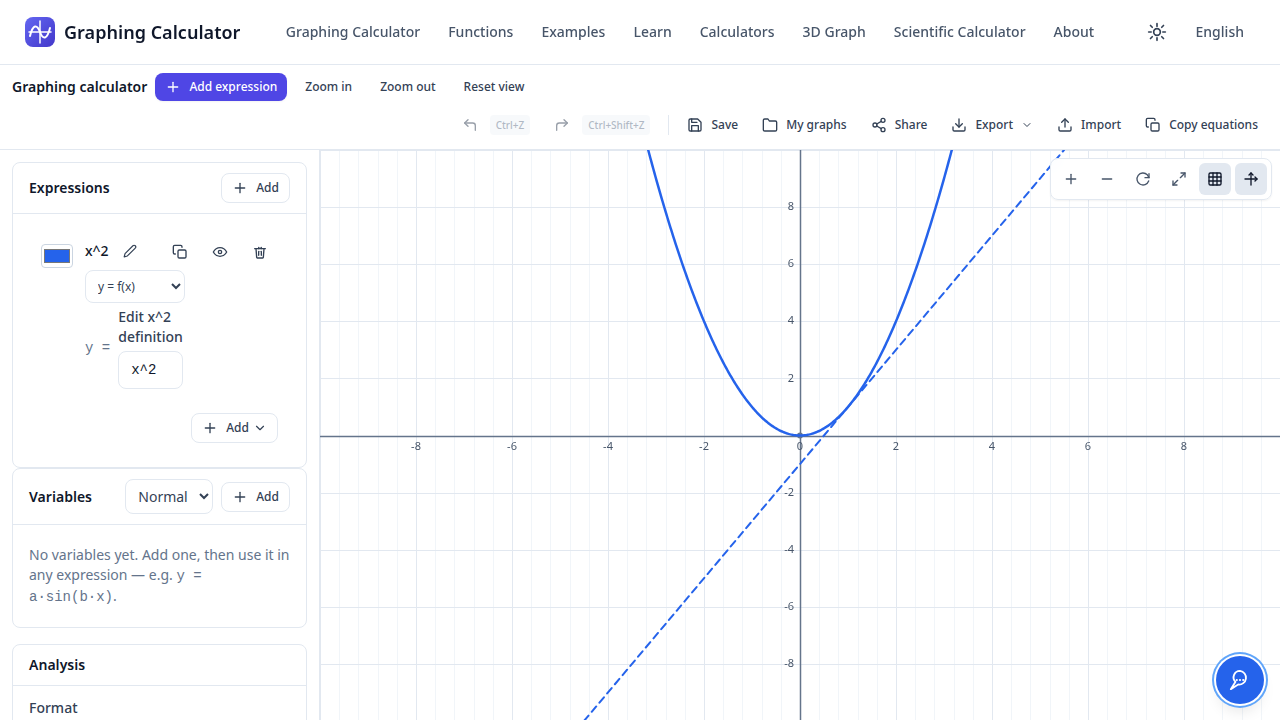
Interactive graphing
Zoom, pan, and explore
A fast canvas graph with adaptive gridlines, smooth zoom-to-cursor, panning, and touch support. Plot Cartesian functions, parametric curves, polar equations, and inequalities — each expression with its own color and visibility toggle.
Real mathematical analysis
Roots, derivatives, integrals
Find roots with Brent’s method, compute derivatives and definite integrals numerically, inspect tables of values, and draw tangent lines — all with the same engine, honestly reported when a result can’t be computed.
AI math assistant
Ask in plain language
Ask questions in plain English — the assistant translates them into calculator commands, plots what you ask for, and explains step by step. The math engine always does the actual computing; the AI never invents results.
Variables, sliders & sharing
Explore and share
Define variables, animate them with sliders, save named graphs in your browser, and share graphs as compact links. Your workspace persists between visits — everything stays on your device.